Community Members/Partners should complete the following instructions to register for the CIRTification course:
- Go to https://training.ccts.uic.edu/course/CourseDetails.aspx?CourseID=3
- Click “Enroll” in the preferred language

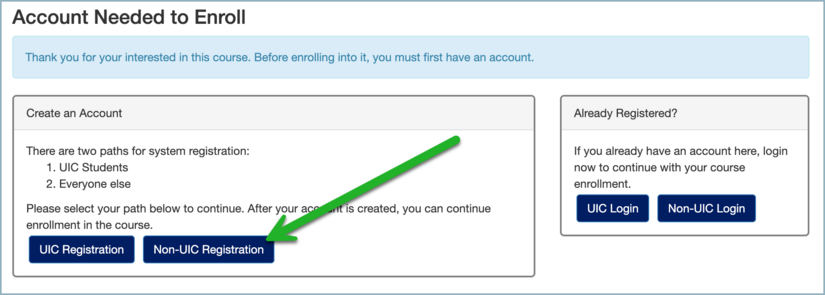
- Prior to enrolling, users will be prompted to Create an Account.
- Click “Non-UIC Registration” or the equivalent, if a non-English preferred language was chosen
- Complete the registration form. When asked to select a site, select “University of California, Riverside”.

- Click “Register” to finish.
- Once registration is complete, instructions to access the course will be provided.

- Users will be prompted complete a Pre-enrollment.
- Fill out the initial Pre-Enrollment Survey and Click “Submit”

- Once successfully enrolled, users will be prompted to Launch the training.

Complete the training by going through each module, 9 total. - Each module has multiple lessons and activities that must be completed before going onto the next module.

- In order to pass and obtain a Certificate of Completion, users must obtain a score of 75% or higher. Users who do not pass the quiz will receive feedback and can then re-take the quiz until they pass.